How to get ready for GTA 6: storage, console settings and preload checklist
GTA 6 is set for 19 November 2026 on PS5 and Xbox Series X|S. Most launch-day problems are things you can fix weeks ahead: a full SSD, a stale system update, a forgotten password. This checklist covers storage, console settings, accounts and preload prep, and it separates what Rockstar has confirmed from what is still rumor.
Last checked: against Rockstar Newswire, Take-Two’s latest investor update, and the PlayStation and Xbox store listings. We update this page as launch details land, so check back after any Rockstar or Take-Two announcement.
What we know about GTA 6 so far
These are the facts you can plan around.
- Release date: CONFIRMED. Rockstar moved Grand Theft Auto VI from autumn 2025 to 26 May 2026, then to 19 November 2026. Take-Two has repeated the November date in its investor communications since.
- Platforms: CONFIRMED. PS5 and Xbox Series X|S. PS4 and Xbox One are not on the list. Rockstar has not announced a PC version.
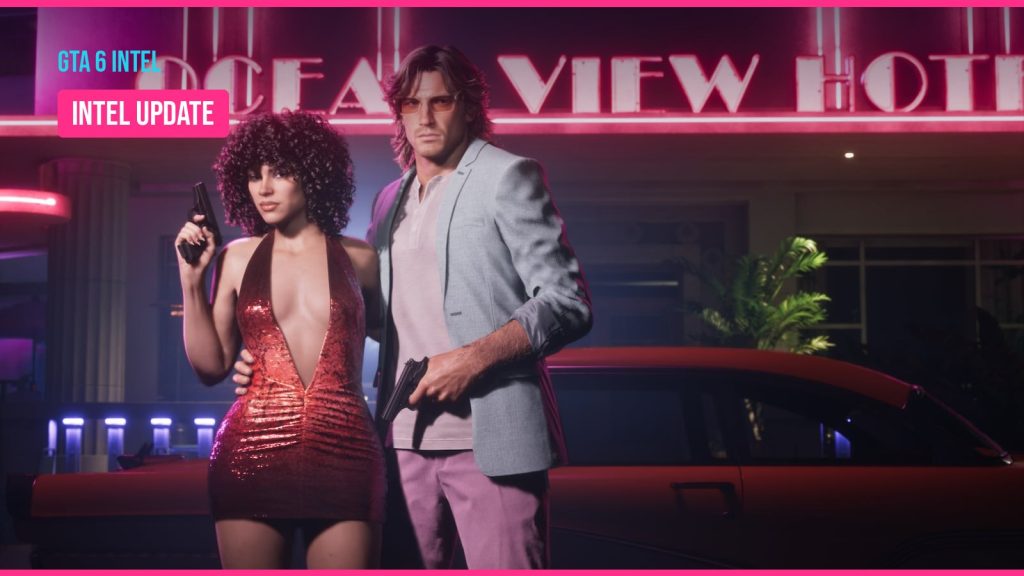
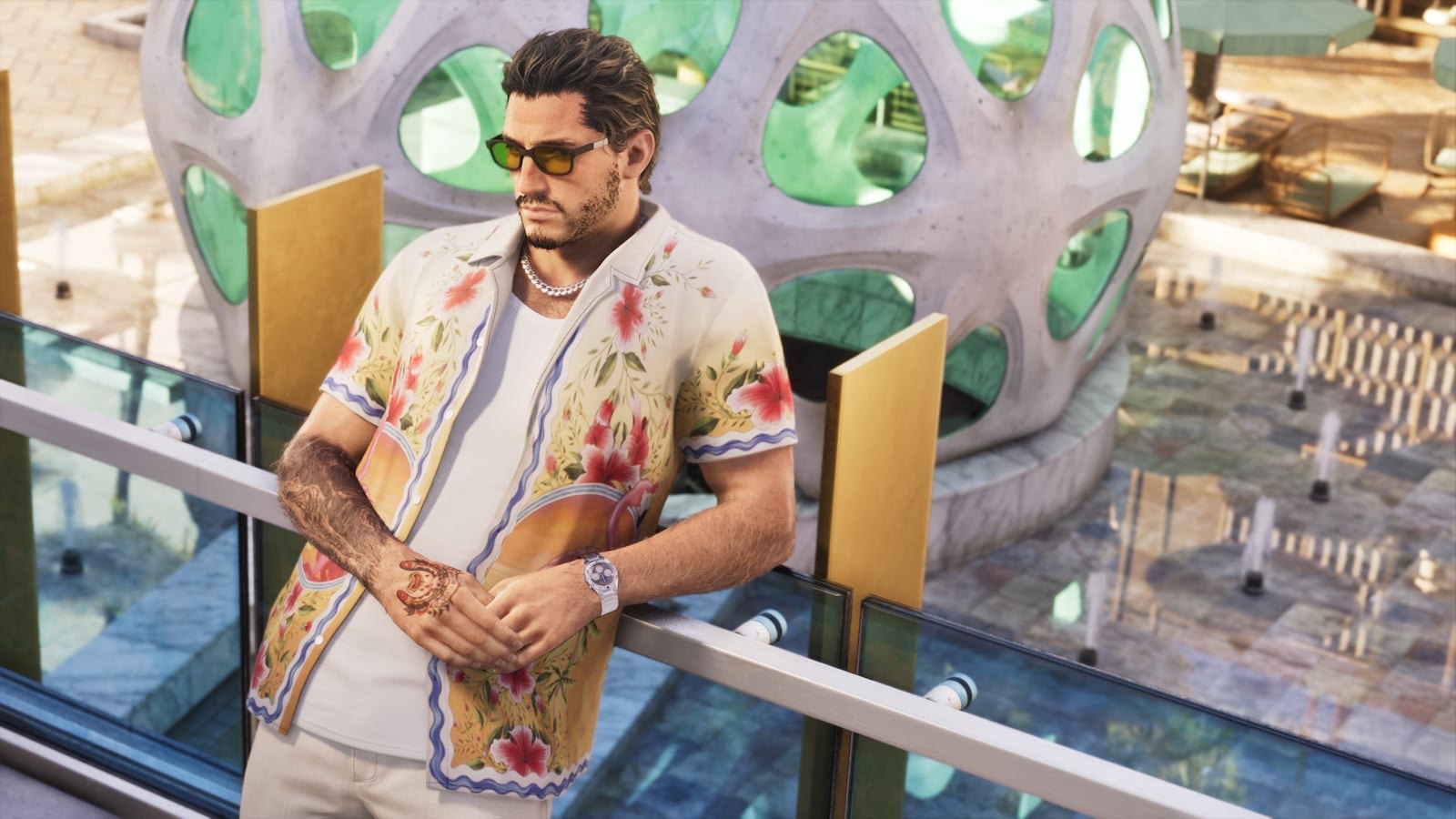
- Setting and leads: CONFIRMED. The game is set in the state of Leonida, which includes Vice City. The two protagonists are Jason Duval and Lucia Caminos, shown in Trailer 2 in May 2025.
- Price, editions, pre-orders, file size, preload timing: Not announced. No official store has opened a GTA 6 pre order with a price at the time of checking.
The practical takeaway is simple. You know the date and the hardware. Everything else on this list is prep you can do without waiting for Rockstar.
What is rumored
Plenty of launch-prep pages state details as fact. Here is how they stack up.
- A 12 November preload start. Several sites have published this date. We could not trace it to Rockstar, Sony, Microsoft or a live store listing. Credibility call: unsourced web reports, treat as unconfirmed until a store page shows it.
- Specific file size figures. Numbers circulate on social media and forums. None come from Rockstar or a store listing. Credibility call: anonymous or community claims, ignore the exact figure and plan for a very large install. Our GTA 6 file size tracker will carry the real number once a listing shows it.
- A price above the standard $69.99. Industry analysts have speculated publicly that Take-Two could charge more than the current standard price. Credibility call: analyst opinion, not a leak or an announcement. The GTA 6 price page covers the official figure when it exists.
What you need before you start
Gather these before you work through the steps:
- A PS5 (original, Slim or Pro) or an Xbox Series X or Series S
- Your PlayStation Network or Microsoft account login, plus access to the email and phone on that account
- Your Rockstar Games account login (create one if you don’t have it)
- Your Wi-Fi details, or ideally an Ethernet cable long enough to reach the console
- A payment method or gift card for your store wallet
- About an hour across a couple of evenings
Quick steps: get your console GTA 6 ready
- Update the console software and turn on auto updates.
- Clear SSD space and decide whether you need expansion storage.
- Set the console to stay online in rest or sleep mode.
- Test your connection and switch to wired if you can.
- Secure your PlayStation, Xbox and Rockstar accounts.
- Load your wallet and pre-order once orders open.
- Calibrate HDR, set game presets and charge your controller.
Step 1: Confirm your hardware is on the list
This sounds obvious, but it catches people. GTA 6 is a current-gen exclusive. If you are still playing GTA 5 on a PS4 or Xbox One, you need a PS5 or Series X|S to play the new game at launch.
On Xbox, the Series S is included. It runs the same release as the Series X, but its smaller SSD makes Step 3 more urgent.
PC players have nothing official to prepare for yet. Rockstar’s pattern with GTA 5 and Red Dead Redemption 2 was a console release first and PC later, but no PC version of GTA 6 has been announced.
Step 2: Update your system software and turn on auto updates
Launch day is a bad time to sit through a mandatory firmware download. Get current now and let the console handle future updates on its own.
PS5:
– Settings > System > System Software > System Software Update and Settings > Update System Software
– Then turn on both auto-download and auto-install in the same menu
– For games: Settings > Saved Data and Game/App Settings > Automatic Updates
Xbox Series X|S:
– Settings > System > Updates
– Tick “Keep my console up to date” and “Keep my games & apps up to date”
Expect a day-one patch on top of the main install. Every recent Rockstar release has had one. The details of a GTA 6 launch patch are not announced, but auto updates mean it arrives without you babysitting it.
Step 3: Free up space on your SSD
This step matters most. Rockstar has not published the install size, but Red Dead Redemption 2 already needed well over 100GB on consoles, and GTA 6 is a newer, denser open world. Plan for a very large footprint and leave headroom for patches.
Here is what each console gives you to work with. Sony and Microsoft reserve part of the drive for system files, so usable space is lower than the sticker number.
| Console | Advertised SSD | Approx. usable space | Expansion option for playing games |
|---|---|---|---|
| PS5 (original) | 825GB | ~667GB | M.2 NVMe SSD slot |
| PS5 Slim | 1TB | ~848GB | M.2 NVMe SSD slot |
| PS5 Pro | 2TB | Most of any console | M.2 NVMe SSD slot |
| Xbox Series X | 1TB | ~802GB | Storage Expansion Card |
| Xbox Series S (512GB) | 512GB | ~364GB | Storage Expansion Card |
| Xbox Series S (1TB) | 1TB | ~800GB | Storage Expansion Card |
To see what’s using space:
- PS5: Settings > Storage > Console Storage > Games and Apps
- Xbox: My games & apps > Manage, or Settings > System > Storage devices
Start with the biggest titles you finished months ago. Call of Duty installs, sports games you stopped playing, and anything bundled with a subscription you haven’t touched are the usual suspects.
Agent's note
You don’t have to delete games outright. A cheap USB drive can store PS5 and Xbox Series games. You can’t play them from it, but copying them back later is far quicker than redownloading, and it saves your data allowance.
Step 4: Decide whether you need expansion storage
If clearing space leaves you short, or you play several big live-service games and don’t want to keep juggling, buy extra storage now. Prices rise and stock thins around big launches.
PS5: The internal M.2 slot takes a PCIe Gen4 x4 NVMe drive. Sony supports capacities from 250GB up to 8TB, recommends a sequential read speed of 5,500MB/s or faster, and requires a heatsink or other cooling. Fitting one takes a screwdriver and about ten minutes. Format it through the console when prompted.
Xbox Series X|S: Series games must run from the internal SSD or an official Storage Expansion Card, such as the Seagate or WD_Black C50 cards. A standard USB drive will not run GTA 6. It can only store it.
Buy the expansion drive at least a few weeks before launch. That gives you time to return a faulty unit without missing the date.
Step 5: Set your console to download while you sleep
Your preload will run overnight, so the console needs to stay connected when you’re not using it.
PS5: Settings > System > Power Saving > Features Available in Rest Mode > turn on “Stay Connected to the Internet”. Put the console in rest mode, not fully off.
Xbox: Settings > General > Power options > choose Sleep. The energy-saving shutdown setting is more limited for background downloads.
While you’re in settings, make sure other people in your house can play your copy:
- PS5: Settings > Users and Accounts > Other > Console Sharing and Offline Play > Enable
- Xbox: Settings > General > Personalization > My home Xbox > Make this my home Xbox
This also lets your digital copy launch if PlayStation Network or Xbox Live has a wobble on release day, which happens with huge launches.
Step 6: Check your internet connection
A massive download on slow Wi-Fi can take most of a day. Test your connection now:
- PS5: Settings > Network > Connection Status > Test Internet Connection
- Xbox: Settings > General > Network settings > Test network speed & statistics
If the console is far from the router, an Ethernet cable is the single biggest upgrade you can make. Powerline adapters are a reasonable fallback when you can’t run a cable.
Check your broadband plan too. If you’re on a capped or mobile connection, one GTA 6 install plus a day-one patch could take a big bite out of your monthly allowance. Plan the preload around your reset date if you have one.
Step 7: Check your accounts
Getting locked out of an account on release night is a miserable way to start.
- PlayStation and Microsoft: confirm you know your password, update the email and phone on file, and turn on two-step verification. Clear any expired card from your payment settings.
- Rockstar Games account: Rockstar has not said how GTA 6 will use its account system. GTA 5, GTA Online and Red Dead Online all needed a linked Rockstar account, so setting one up now costs you nothing. Turn on two-step verification while you’re there.
- Online subscriptions: single-player games on PS5 and Xbox don’t need PlayStation Plus or Game Pass. Online multiplayer on console has historically needed PlayStation Plus Essential or the equivalent Xbox tier (Game Pass Essential, formerly Core). Rockstar has not announced GTA 6’s online mode or when it arrives, so hold off on buying a subscription just for this.
Step 8: Add funds to your wallet
If you plan to buy digitally, preload your PlayStation Store or Microsoft Store wallet. Gift cards spread the cost over a few months, and a funded wallet means a declined card at midnight can’t stop you.
Buy gift cards from the official stores or major retailers only. Third-party “discount code” sellers are a common route for scams around big launches.
Step 9: Pick your edition and pre-order when it opens
Pre-orders are not open, and Rockstar has not announced any editions or a price. When orders go live, the official PlayStation Store, Microsoft Store and Rockstar Store pages will show them. Retailers and fan sites will spread the news quickly too.
When you do order, decide on these points:
- Digital or physical. Digital pre-orders unlock the preload. A disc saves you nothing on launch-day downloads, because modern discs still install fully and usually need a patch.
- Edition contents. Read what the extra money actually buys. Rockstar’s past special editions have mostly added cosmetic and in-game currency extras.
- Cancellation terms. PlayStation and Microsoft each set their own pre-order refund rules. Check the current policy on the store before you pay.
Our guide to GTA 6 pre order timing covers each store once listings appear.
Step 10: Plan your preload
Preloading lets you download the game before release so it unlocks the moment the clock ticks over. Publishers set the preload window per game, and Rockstar has not announced GTA 6’s yet.
Your preload plan:
- Have the space cleared (Step 3) before the window opens.
- Pre-order digitally on the console’s store, or redeem your code on the console.
- Make sure the download queue has GTA 6 at the top and nothing else huge competing with it.
- Leave the console in rest or sleep mode overnight.
- Check in the evening before launch for a day-one patch and let it finish.
We’ll publish confirmed timings in our GTA 6 preload guide once a store shows the window.
Step 11: Dial in your TV and display settings
Rockstar said Trailer 2 was captured in-game on PlayStation 5, so you know roughly what the console version aims to look like. A few minutes with your settings makes a real difference.
- Calibrate HDR. PS5: Settings > Screen and Video > Video Output > Adjust HDR. Xbox: Settings > General > TV & display options > Calibrate HDR for games.
- Set a game preset on PS5. Settings > Saved Data and Game/App Settings > Game Presets. Choose Performance Mode or Resolution Mode as your default. Rockstar has not confirmed what modes GTA 6 will offer, so revisit this once the game is out.
- Turn on your TV’s Game Mode. It cuts input lag. Most modern TVs also support Auto Low Latency Mode, which switches it on automatically.
- Enable VRR if your TV supports it. PS5: Settings > Screen and Video > Video Output > VRR. Xbox: TV & display options > Video modes.
- Use the right HDMI port. On many TVs only some ports support HDMI 2.1 features. Use the cable that came with the console.
Step 12: Sort your controller, charging and audio
A DualSense dying mid-mission is avoidable. Set up a charging station or a spare cable near where you play. A second controller lets you swap without pausing for long.
- Update controller firmware. PS5 prompts you automatically. On Xbox, use the Xbox Accessories app.
- Test your headset. Check the mic, the volume balance and 3D audio settings (PS5: Settings > Sound > Audio Output).
- Remap if you need to. Both consoles have system-level button remapping and accessibility options, useful if you already know you prefer certain layouts.
Launch week life admin
Only you can sort these, but they matter.
Clear your calendar. 19 November 2026 is a Thursday. Book the Friday off if you can, and flag the date to anyone who shares your TV.
Finish your backlog. Wrap up anything you’re halfway through so it isn’t nagging at you. Then delete it and reclaim the space.
Something to play while you wait. Replaying GTA 5 or Red Dead Redemption 2 is the obvious warm-up. GTA 5’s PS5 and Xbox Series version has the newer graphics modes. Reading up on GTA 6 vs GTA 5 differences is a good primer on what Rockstar has shown. If you want a deeper rabbit hole, the GTA 6 mapping project rebuilds Leonida frame by frame from the trailers.
Stock the kitchen. Snacks and drinks sorted the day before means fewer reasons to stop.
Common mistakes to avoid
- Clearing space too late. If the preload opens and you’re short, you’ll be deleting games in a hurry and maybe losing ones you wanted.
- Buying a USB drive for Xbox and expecting it to run GTA 6. It won’t. Only internal storage or an official expansion card runs Series games.
- Fitting a PS5 M.2 drive without a heatsink. Sony requires cooling. Skip it and you risk throttling or instability.
- Leaving the console fully powered off. Downloads and patches stall. Use rest mode or sleep.
- Falling for “early access” offers. There is no public GTA 6 beta or PC download. Sites offering one are scams, often carrying malware.
- Treating rumors as dates. Until Rockstar or a store page confirms a preload time or file size, plan for it but don’t stake your evening on it.
Heads up
Ignore anyone selling GTA 6 keys, betas or “PC versions” before launch. These are scams, and logging in through fake sites can get your PlayStation, Xbox or Rockstar account stolen.
Avoiding spoilers in the final weeks
Rockstar confirmed in September 2022 that early development footage of GTA 6 had been stolen in a network breach. Reputable outlets including Bloomberg reported on what the clips showed without hosting them. Expect the same pressure near launch, when retail copies sometimes reach people early.
If you want to go in fresh, mute keywords like “GTA 6 ending” and the protagonists’ names on social platforms during launch week. Turn off autoplay on video apps too. GTA 6 reviews will likely land before release, and you can pick spoiler-free verdicts from those.
Expected result
Once you’ve worked through the list, your setup should look like this:
- System software current, with auto updates on for the console and games
- Enough free SSD space for a very large install, plus room for patches
- Console set to stay online in rest or sleep mode, set as your primary or home console
- A tested, ideally wired, connection
- PlayStation, Xbox and Rockstar accounts secured with two-step verification
- A funded wallet, ready to pre-order the moment official listings go live
- HDR calibrated, Game Mode on, controllers charged
On launch night the game should unlock, the day-one patch will already be installed, and you’ll be in Leonida within minutes.
What it means
Right now, the only hard facts are the 19 November 2026 date and the PS5 and Xbox Series X|S platforms. Everything practical depends on storage, settings and accounts, and all of that is in your hands today. The unknowns (price, editions, preload window, file size) will come from Rockstar and the console stores, so watch those channels, not rumor accounts. We’ll update this checklist the day any of them change.
FAQ
When does GTA 6 come out?
CONFIRMED: 19 November 2026 on PS5 and Xbox Series X|S. Rockstar has delayed the game twice, first from 2025 to May 2026 and then to November 2026.
How much storage do I need for GTA 6?
Not announced. Rockstar and the stores have not listed an install size. Red Dead Redemption 2 already topped 100GB on console, so clear as much space as you can and leave extra for the day-one patch.
When does the GTA 6 preload start?
Not announced. Some sites report a 12 November start, but we could not trace that to an official source. Preload windows are set per game and will show on the PlayStation and Xbox store pages.
Can I play GTA 6 on PS4 or Xbox One?
No. The confirmed platforms are PS5 and Xbox Series X|S only.
Is GTA 6 coming to PC?
Not announced. Rockstar has released previous games on console first and PC later, but has said nothing about a PC version of GTA 6.
Do I need PlayStation Plus or Game Pass to play GTA 6?
Not for single-player, based on how both consoles work. Online play on console has historically needed a paid subscription, but Rockstar has not announced GTA 6’s online component, so wait before you subscribe.
